

it’s a brand new week, and you already know what that means — more amazing addons for animation, modeling, and scene design in blender. so let’s jump straight in.
New Blender Animation Addon Clean Graph
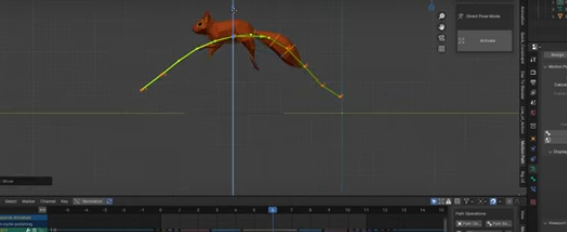
starting with Clean Graph — this one’s an absolute must-have for anyone doing animation, whether you’re a beginner or a pro. it takes your keyframes and converts them into 3D curves that match your animation right in the viewport. the coolest part? you can actually edit those curves directly, and your animation updates in real time.
no more guessing what those lines in your graph editor are doing — you just move the curve in 3D space, and boom, your animation changes instantly. it speeds up your workflow, makes tweaking so much easier, and feels way more intuitive.
plus, it’s great for cleaning up messy keyframes — especially if you’ve imported animation data that has a key on every single frame. you can remove all the unnecessary ones without affecting the actual motion.
New Blender Crowd simulation addon

honestly, i get excited every time a developer i trust drops something new. this one’s from the same team behind iCity and iCars, so you already know it’s going to deliver. these guys have proven they can make rock-solid tools, and iCrowds just adds another gem to their lineup.
think about it — you’ve got iCity for generating massive cities, iCars for filling them with traffic, and now iCrowds to bring those cities to life. it’s the perfect trio.
but here’s what’s cool: it’s not just limited to urban scenes. the crowd system comes packed with behavior presets like follow curve, move in a line, random spawn, and stadium crowd, and each character avoids collisions automatically.
plus, they’ve included a character editor, so you can easily tweak and customize your people — perfect for when you want a crowd that looks and moves uniquely for your project.
This Addon SurfaceFlow is like shrinkwrap modifier but better

we have SurfaceFlow, and there are so many situations where a tool like this just makes sense — whether you’re creating pipework around a building, laying cables and wires, or even placing decals on curved surfaces. i honestly wish blender came with multipurpose tools like this by default.
the closest thing blender has is Shrinkwrap, but that only works if you’re trying to stick something flat — like a label or sticker — onto a surface. it doesn’t preserve the object’s volume, so it collapses geometry and flattens it out. SurfaceFlow fixes that. it lets you wrap objects onto other surfaces while keeping their shape intact, and even includes shrinkwrap-style functionality when you need it.
if you regularly create detailed scenes in blender, this addon is a must-see.
New IMM Brush for blender sculpting

and while we’re at it, there’s another great tool in the same category for sculptors — the IMM Brush. inspired by zbrush’s workflow, this tool lets you attach new meshes directly onto your sculpt, like buttons, nails, armor plates, or any other attachments. it’s fast, intuitive, and comes with a built-in library that you can expand with your own assets for future projects.
it’s perfect for character artists, hard surface modeling, and anyone who loves adding fine details like bolts, stitches, or panel bits without breaking the sculpting flow.
Create Rigs by drawing bones
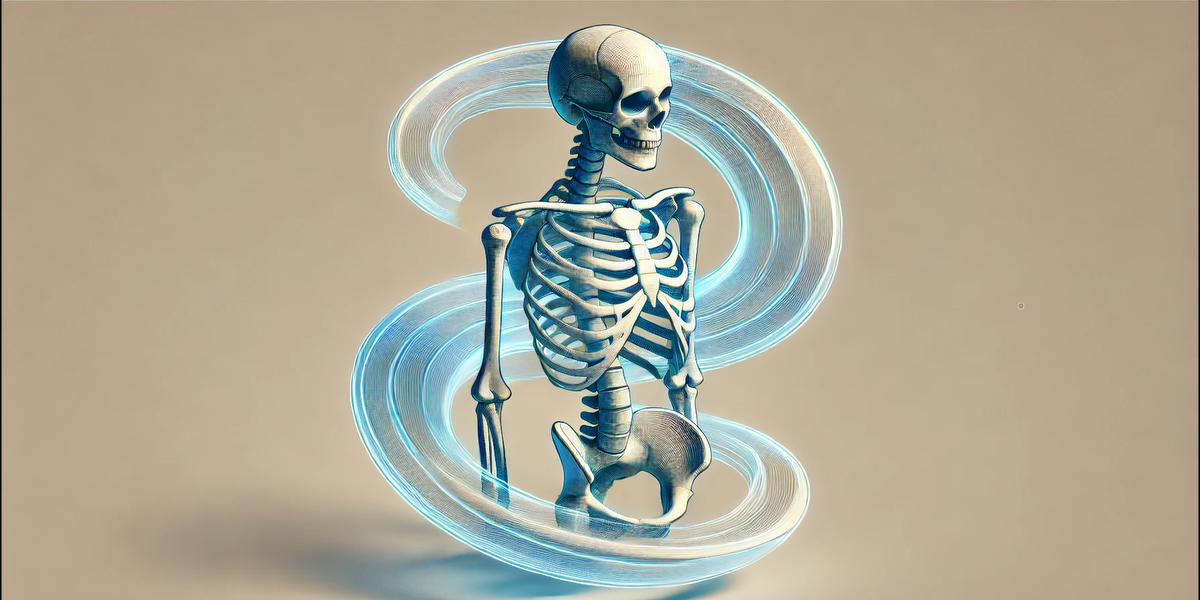
another one of those quality-of-life addons that doesn’t necessarily add brand-new functionality to blender, but completely changes how you approach rigging. it makes the old way of building armatures feel like caveman behavior.
with Draw Bone, you can easily create an entire armature for your character by simply marking where the joints should be. sounds simple — but if you’ve ever built rigs manually, you know how much time this saves.
it also comes packed with extra tools, like the ability to draw bones using curves, hide specific rig parts so you can focus on one area, and even help set up constraints with ease.
it’s one of those addons that you try once and immediately wonder how blender ever made you rig without it.
All your Geometry Nodes generators in one place

Everything Pack — a collection of generators i’ve built over time, each designed to make scene creation in blender faster and way more fun.
this pack includes some of my personal favorites, like the Debris Tool, which makes it super easy to scatter debris around any object — perfect for adding realism and storytelling to your scenes.
and here’s the cool part: if you’ve made your own generators, or downloaded others from somewhere else, you can add them into the Everything Pack. all you need is the .blend file and a thumbnail image, and they’ll appear right inside the library, ready to use.
from my pack, you’ll get tools like the Destroyed Building Generator — perfect for post-apocalyptic or war-torn scenes, the Fireball or Sun Generator, the Debris Pile Generator, the Destroyed Road Generator, the Tornado Generator, and even a Missile Projectile Generator.
and i’m still adding more — new generators are in the works, all focused on speeding up creativity and helping you build complex effects and scenes without starting from scratch.
anyway, that’s it for today — if you made it this far, thanks for watching! hope you found a few addons that’ll make your workflow faster and a bit more fun. don’t forget to try them out, and i’ll see you in the next one.