Creating a movie in Blender is not only possible but can be incredibly efficient, thanks to Blender's versatility as an all-in-one 3D software. While other industry-standard applications like Houdini, Maya, or Cinema 4D might excel in specific areas, they often require additional tools to complete a full project. Blender, however, offers a comprehensive suite of tools that allow you to start and finish a project without leaving the software.
Making Your First Movie in Blender

Let's walk through how you can make your first movie in Blender, using a script about time travel as an example:
1. Scriptwriting
While Blender does include a script editor, it's not intended for writing movie scripts. Instead, the script editor is designed for writing Python scripts to create new functionality in Blender, such as custom operators or add-ons. However, if you're determined, you could use it for scriptwriting, but it's recommended to use a dedicated scriptwriting tool like Celtx or Final Draft.
2. Storyboarding
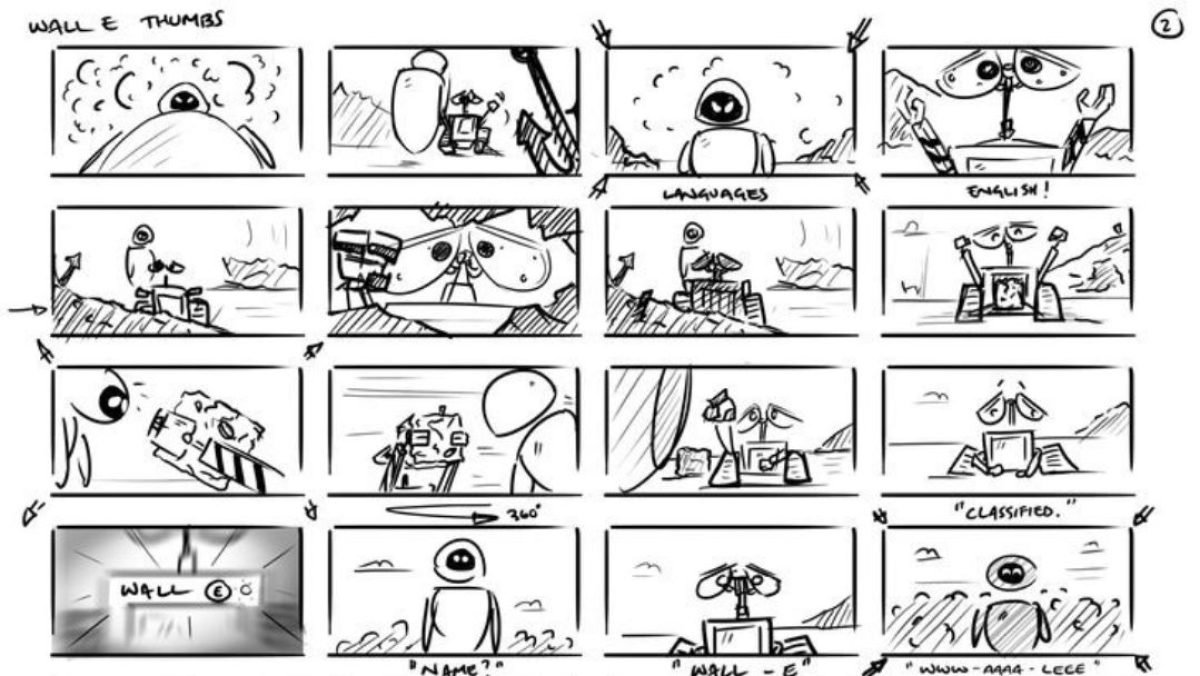
Once your script is ready, the next step is storyboarding, and this is where Blender truly shines. Blender's Grease Pencil tool is an excellent choice for storyboarding. With Grease Pencil, you can create 2D animations within a 3D space, offering a flexible and powerful way to plan your scenes. This tool has gained popularity among 3D artists for its ability to create detailed and dynamic storyboards. You can even produce a complete 2D animated movie using Grease Pencil alone.
3. Concept Art

After storyboarding, you'll move on to concept art. Concept art helps establish the visual style and atmosphere of your movie. While many artists traditionally use Photoshop or similar tools for this stage, Blender's 3D capabilities are becoming increasingly popular for creating concept art. You can block out scenes in 3D to get a sense of scale, perspective, and lighting, and then refine your work with Blender’s sculpting and texturing tools.
For collecting reference images, applications like PureRef are incredibly useful. However, if you prefer to stay within Blender, there's an add-on called BlendRef that functions similarly, allowing you to gather and organize reference images directly inside Blender.
4. Modeling and Texturing

With your concept art in place, you can start modeling the characters, environments, and props needed for your movie. Blender’s modeling tools are robust, enabling you to create detailed and complex models. When it comes to texturing, while Blender may not be the absolute best in this area, it offers powerful tools like the Node Editor for creating custom materials and textures, allowing you to achieve a high level of detail and realism.
5. Animation
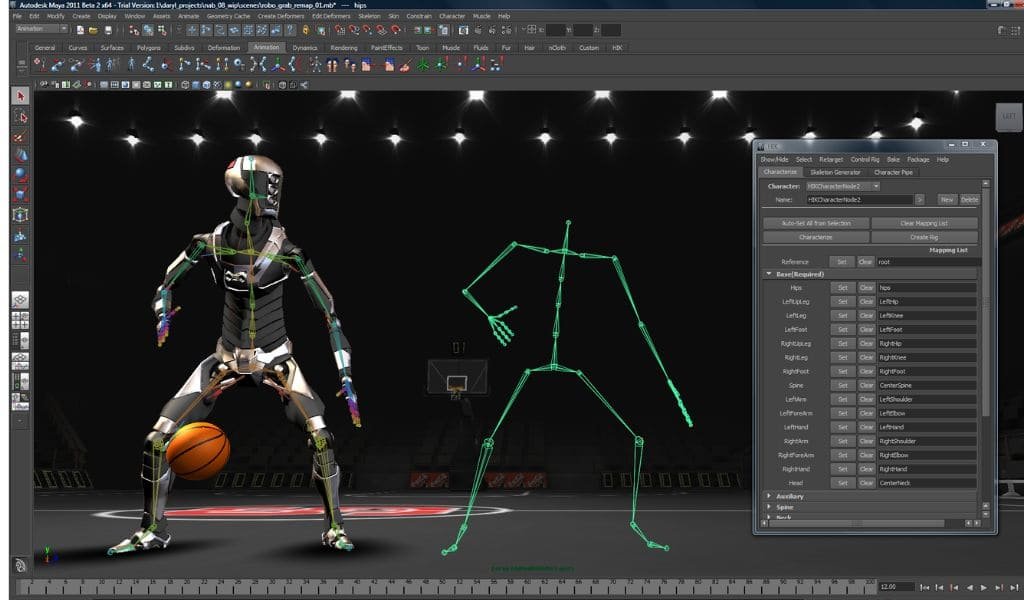
Blender’s animation tools are highly regarded and can be used to bring your characters and scenes to life. Whether you're animating characters, vehicles, or environmental elements, Blender provides a comprehensive suite of tools to help you achieve professional results. The Dope Sheet, Graph Editor, and NLA Editor give you fine control over every aspect of your animation.
6. Simulation

For simulations, such as fluid, smoke, or physics-based effects, Blender offers built-in tools that, while not as advanced as Houdini’s, are still capable of producing impressive results. You can integrate these simulations seamlessly with your animations to enhance the realism and impact of your scenes.
7. Lighting and Rendering
Blender’s Cycles and Eevee render engines provide powerful options for rendering your scenes. Cycles is known for its physically accurate rendering, ideal for high-quality cinematic visuals, while Eevee offers real-time rendering capabilities, perfect for faster iterations and previews.
8. Post-Production
Once your scenes are rendered, you can use Blender’s built-in Video Sequence Editor (VSE) for post-production tasks such as editing, color grading, and adding effects. While dedicated editing software like DaVinci Resolve might offer more advanced features, Blender’s VSE is sufficient for many projects, especially if you want to keep everything within a single software.
9. Final Output
Finally, after editing and compositing, you can export your movie directly from Blender. Whether you’re creating a short film, an animated series, or a feature-length movie, Blender’s all-in-one approach allows you to manage every aspect of the production process from start to finish.
Blender might not be the absolute best in every category, but its ability to handle the entire movie-making process makes it an outstanding choice for independent filmmakers, animators, and anyone looking to create their own films.